![Zenbooth_Logo_-_Trademark-removebg-preview.png]](https://community.zenbooth.net/hs-fs/hubfs/Zenbooth_Logo_-_Trademark-removebg-preview.png?height=26&name=Zenbooth_Logo_-_Trademark-removebg-preview.png)
🧩 What Can I Safely Add to My Zenbooth?
Because Zenbooths are made with commercial-strength wooden panels, you can mount any items to the wood walls and acoustic felt, as long as you follow the mounting guides and stay within the weight and screw-length limits.
Common interior add-ons:
- Whiteboards and small pin boards
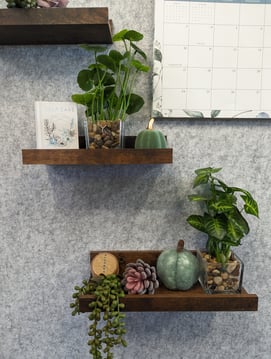
- Shelves for books, plants, or light storage
- Hooks for bags, headphones, or coats (great for mounting to desk)
- Clocks or small bulletin boards
- Microphone, camera, or light mounts
- Compact speakers or sound bars
- Artwork, posters, and photos (pinned or lightly mounted)
Common exterior add-ons:
- Occupancy or scheduling signs
- Nameplates or room labels
- Simple exterior hooks or organizers
- Small planters or decorative elements
- Exterior lighting near the entrance (not wired into booth circuitry)
🛠️ How to Mount Safely (All Models)
Zenbooth’s Mounting Guides:
- Mounting Instructions for Zenbooth Solo
- Mounting Instructions for Zenbooth Solo Pro
- Mounting Instructions for Zenbooth Duo
- Mounting Instructions for Zenbooth Quad
All booths follow the same basic mounting approach:
Tools & hardware (not included):
- Drill
- Tape measure
- 1/8" drill bit for pilot holes
- 1½" fully threaded wood screws (max length)
Basic steps:
- Measure from a corner
- Use a nearby corner as your reference point so you know exactly where you’re drilling.
- Always pre-drill holes
- Use a 1/8" drill bit to pre-drill through the acoustic felt and/or into the wood panel behind it.
- Mount with 1½" wood screws
- Attach your hardware using 1½" wood screws (do not use longer screws—those can hit hidden components inside the wall).
Weight limits & safe zones:
- Some interior and rear wall zones are rated for heavier loads (up to ~100 lbs) for things like monitors or small cabinets.
- Other zones and lighter felt-only areas are intended for items up to ~10 lbs.
Because weight zones vary by model and location, always check your model-specific Mounting Guide before mounting anything.
💻 Monitors, TVs & Tech Mounts
You can absolutely run a fully tech’d-out booth, just be thoughtful about weight, location, and clearances.
Monitors / TVs on the wall
- Most customers mount a single monitor or small TV in a reinforced zone on the interior wall.
- Use only the zones and weight limits called out in your mounting guide (some rear/interior zones are rated up to ~100 lbs).
- Always use appropriate mounting hardware rated for your screen.
📷 Cameras, Mics & Lights
These are usually light enough to:
- Mount on the acoustic felt or wall
- Attach to a monitor, desk clamp, or tripod.
Important for Solo & Duo with adjustable desks
If your booth has an electric sit–stand desk:
- Make sure any wall-mounted item will not interfere with the desk’s full travel range.
- For many setups, a desk-mounted monitor arm is easier and more flexible than a wall mount.
See our recommended products for mounts, accessories, and more to make your Zenbooth even more comfortable.
 🧵 Using the Acoustic Felt Panels
The soft interior acoustic felt panels are made from PET fiber (recycled plastic bottles). They are designed to:
- Absorb sound
- Provides a surface you can use push pins and screws on
- Safely hold objects under 10lbs
You can:
- Pin up photos, notes, calendars, and lightweight decor
- Use small screws (per mounting guide) in designated zones
- Mount items up to roughly 10 lbs directly into felt-covered zones (check your model’s mounting guide for exact locations & limits)
- Cover the whole panel in a fabric of your choice using steel pins, totally transforming the interior of the booth.
Avoid:
- Soaking felt or using heavy adhesives
- Mounting very large or heavy objects on felt-only areas